Operately v1.11
Inline Comments, Multiple Space Boards & Hubs, Expanded MCP Support, and more
Operately v1.11 is here. Leave inline comments right inside documents, organize each space with multiple task boards and Resource Hubs, and do more with connected AI clients.
Inline comments: Leave feedback right inside documents#
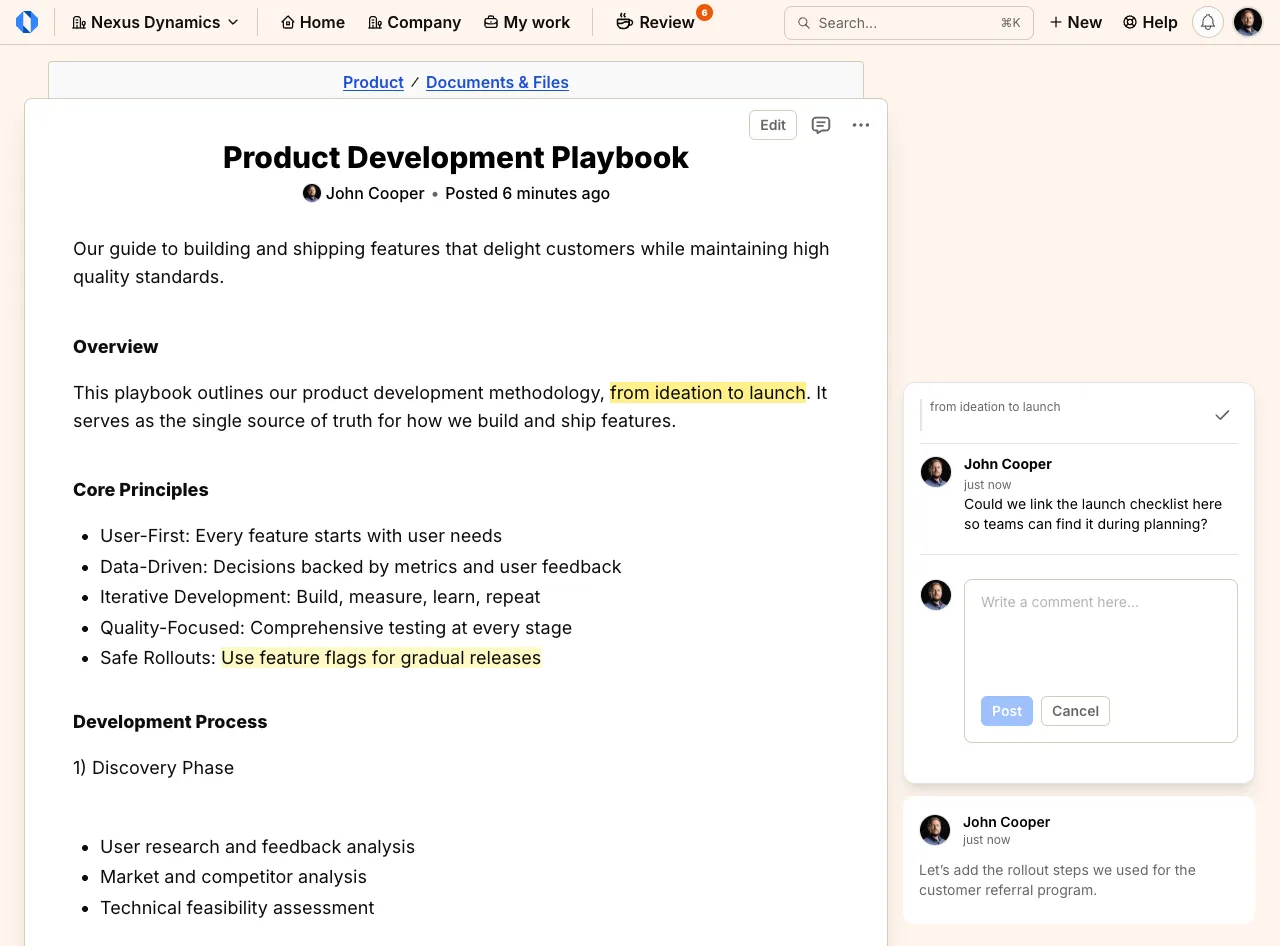
You can now highlight any part of a published document to start a comment thread right beside it, instead of keeping all feedback at the bottom.
Reply to comments, resolve threads once feedback is addressed, and review or reopen resolved threads anytime.
See Inline comments.
Multiple task boards and Resource Hubs: Organize each space your way#
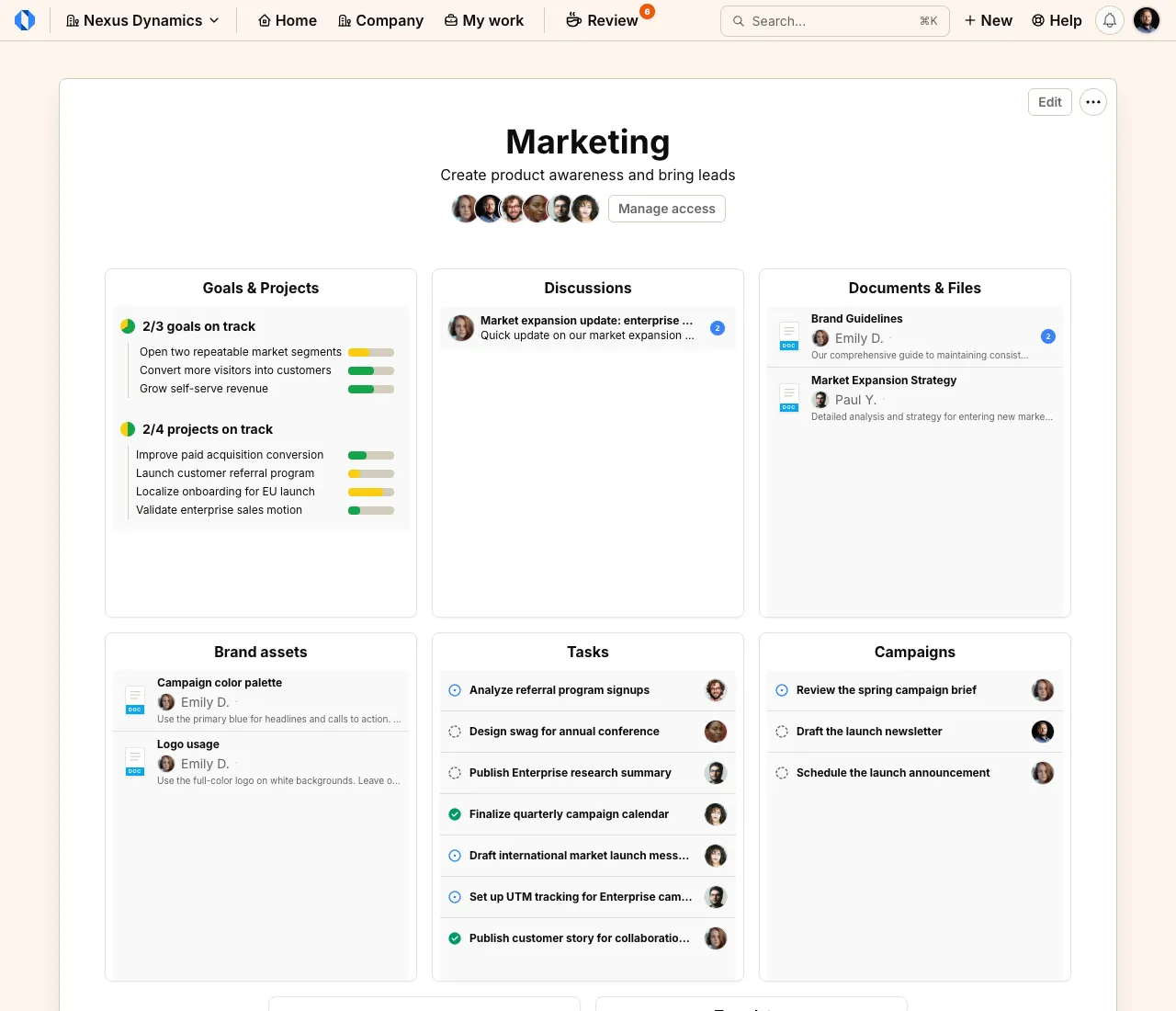
Spaces are no longer limited to a single task board and a single Resource Hub. You can now add multiple named task boards and Resource Hubs to the same space, such as separate boards for Tasks and Campaigns, or hubs for Documents & Files and Brand assets.
Rename and reorder boards and hubs, choose a default board, and archive or restore boards when an initiative wraps up. You can also move tasks across boards and projects.
See Space Tools and Edit a task.
Expanded MCP support: Built-in setup guides and broader coverage#
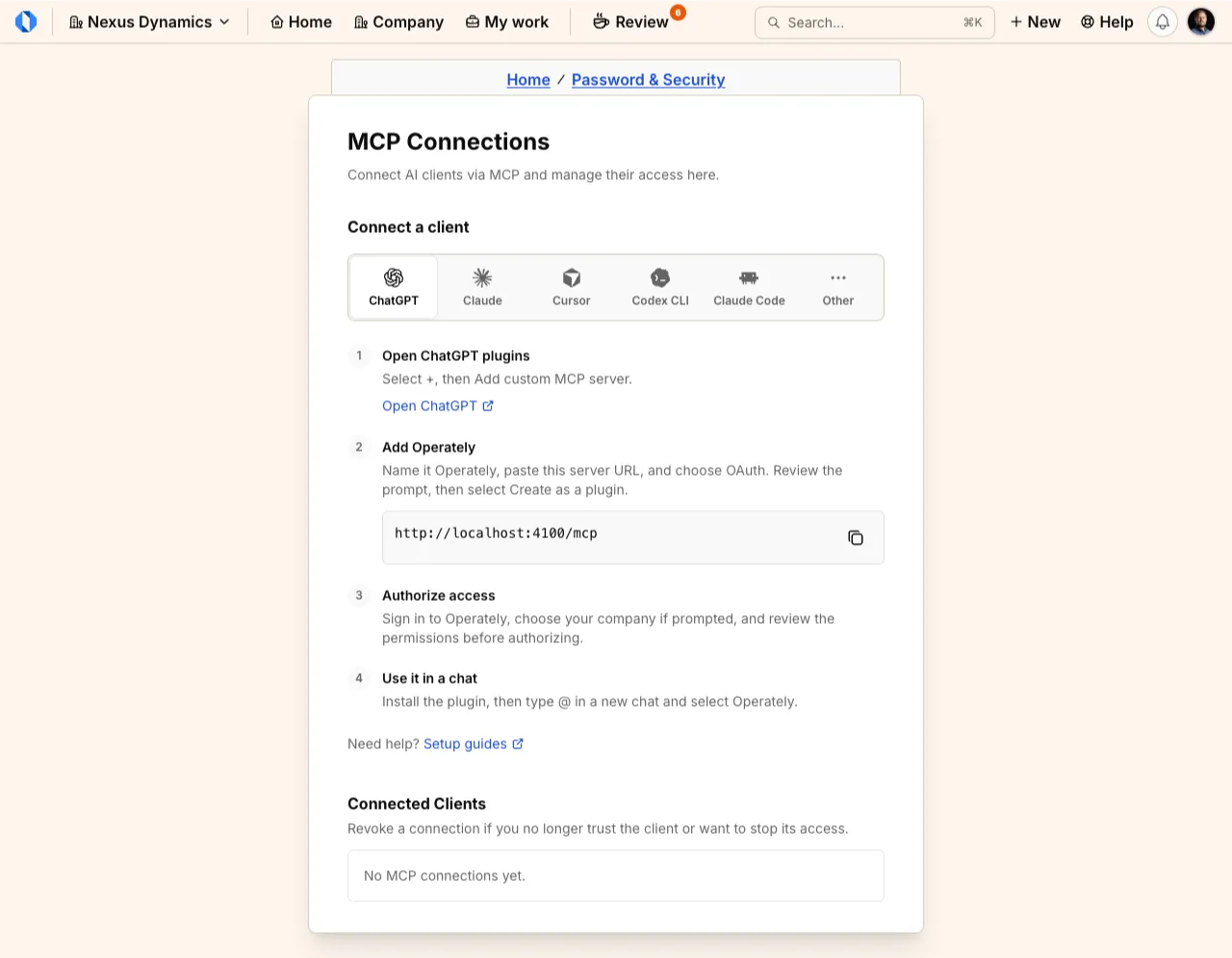
Connecting an AI client is now easier with built-in setup guides inside Operately for ChatGPT, Claude, Cursor, Codex CLI, and Claude Code.
Connected AI clients can now work across much more of Operately, including KPIs, check-ins, discussions, retrospectives, named task boards and Resource Hubs, documents, Work Maps, your own tasks and assignments, notifications, subscriptions, and workspace access.
See Connect an AI client with MCP, Connect ChatGPT, and Connect Claude.
Additional improvements#
This release includes a number of smaller improvements that make day-to-day work smoother:
Task archiving and Kanban board polish: Archive closed tasks to keep active boards focused and restore them whenever needed. Kanban boards also support column color options. See Archive and restore tasks.
Prioritize and update tasks in My Work: Drag assigned tasks into your own order and change their status inline without leaving the list. See Your tasks.
Live updates on projects and documents: Project pages refresh automatically as changes happen, and saved document edits appear without reloading the page.
Complete milestones from the Tasks tab: Project editors can complete a milestone directly from a project’s Tasks tab. See Add milestone.
Smoother rich-text writing: URLs in rich text are automatically linked, and the editor toolbar now includes a Markdown shortcuts reference.
Project progress on Work Maps: Project progress on Work Maps now reflects task completion.
Sign up for Operately#
Ready to experience Operately v1.11? Sign up for a free account and see how these new features can transform how your team works together.
Self-host in 5 minutes#
Prefer to use your own infrastructure? Follow our self-hosted installation guide to get Operately running on your servers in minutes.
If you are already running the self-hosted version, follow the update guide to upgrade to the latest release.
Join the Operately community#
Operately is open source and available under the Apache 2.0 license. Join our growing community of users and contributors:
- Star the repository on GitHub to show your support
- Join our Discord server to connect with the team and community
- Contribute by submitting bug reports, feature requests, or code on GitHub
- Share Operately with your network and help us grow
Special thanks to our contributors#
We’re grateful for everyone who has contributed to making Operately better. Your feedback, bug reports, feature suggestions, and code contributions help shape the product for the entire community. Thank you for being part of this journey with us.
Your contributions help make Operately better for everyone. Thank you!
— The Operately Team